Equipment
Track condition, availability and allocations to open jobs.

BUILT FOR CONTRACTORS
Jobs, customers, schedules and paperwork. One clear workspace to keep your contracting business moving.
2 months of Professional · No credit card during the trial
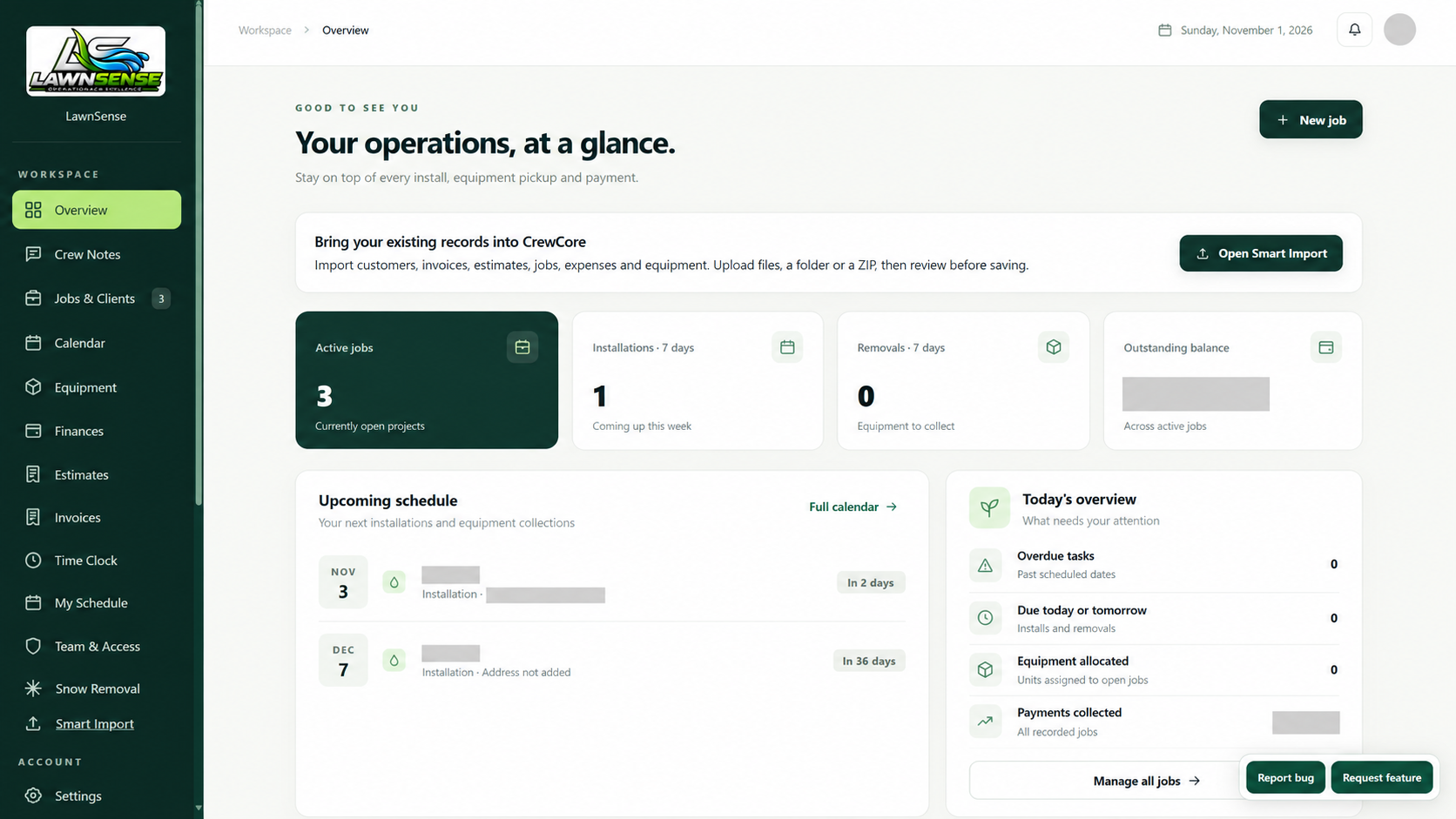
FROM THE OFFICE TO THE JOB SITE
Keep the details connected as work moves from a customer enquiry to a scheduled job and an invoice.
Keep site addresses, customer details and job records together.
Plan upcoming work and keep the crew’s schedule in view.
Prepare clear customer documents with line items and totals.
Record hours worked with access for owners and employees.
Track condition, availability and allocations to open jobs.
Record expenses and review estimated job profitability on eligible plans.
Give the business a shared place for useful team notes.
Offer customers a place to view documents on eligible plans.
Feature availability depends on your plan.
A WORKFLOW THAT MAKES SENSE
Record the customer, site address and work details.
Organize dates, crew schedules and the resources your plan includes.
Prepare estimates and invoices, record hours and return to the right customer details.
ON THE JOB
Depot Finder is included from Starter. Job Sheets is included with Professional and higher.
Foremen and selected employees record work, labour, materials and equipment. The owner reviews rates and converts completed sheets into invoices.
Professional, Business & EnterpriseFind nearby construction supply yards, save regular stops, call suppliers and open directions.
Starter and higherSMART IMPORT
Bring customers, invoices, estimates, jobs, expenses and equipment from the files you already have.
Upload PDFs, spreadsheets, photos, ZIPs or a whole folder. Review the details, make corrections and save selected records. You can save customer details alongside invoices, too.
Available to business owners. Extracted records need review.Customer Checked
Invoice & line items Reviewed
Dates & totals Confirmed
Illustrative review · you approve what gets saved.
A FEW THINGS TO KNOW
CrewCore is contractor management software for teams that need jobs, customers, schedules, estimates and invoices in one workspace. Builders, deck contractors, landscapers and outdoor-service businesses can use it to organize everyday work.
No. Your two-month trial starts when you create the business and includes Professional features. At the end, the owner chooses a paid plan and enters payment details to continue.
Yes. Business owners can use Smart Import for supported PDFs, spreadsheets, images, folders and ZIPs. Review the extracted fields before saving. When importing invoices, you can also choose to save their customers.
Yes. Invite employees within the user allowance of your plan and give them appropriate permissions. Importing and subscription decisions stay with the business owner.
Yes. Choose Do this later during signup and use the normal workspace. Smart Import stays available in the owner sidebar.
YOUR NEXT WORKDAY, BETTER ORGANIZED
Try CrewCore free for two months.
Create a free account